Shopify Development
Shopify Hydrogen and Oxygen in 2026: When Headless Storefronts Actually Make Sense
A practical guide for Shopify and Shopify Plus merchants deciding whether Hydrogen and Oxygen are the right path for performance, SEO, content workflows, app integrations, and scalable storefront architecture.
Shopify Hydrogen and Oxygen in 2026: When Headless Storefronts Actually Make Sense
Key takeaways
- Shopify Hydrogen is strongest when a brand has a real need for custom frontend behavior, high-performance storefront rendering, content-commerce flexibility, or Shopify Plus scale.
- Oxygen gives Shopify merchants a managed deployment path for Hydrogen storefronts, but headless still adds engineering responsibility.
- Most merchants should not choose Hydrogen because it sounds modern. They should choose it when the business case justifies the added complexity.
- Performance, SEO, analytics, app integrations, checkout strategy, and content workflow must be planned before development starts.
- A traditional Shopify theme, optimized well, is still the better answer for many stores.
- A practical Hydrogen project should start with discovery, route mapping, API planning, content modeling, Core Web Vitals targets, and a maintenance model.
Why this topic matters now
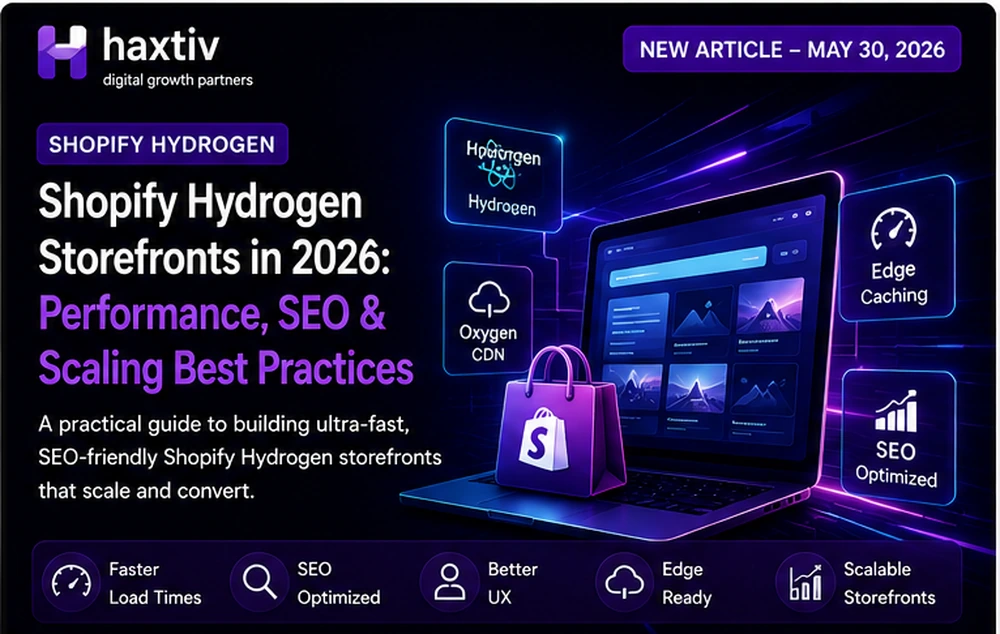
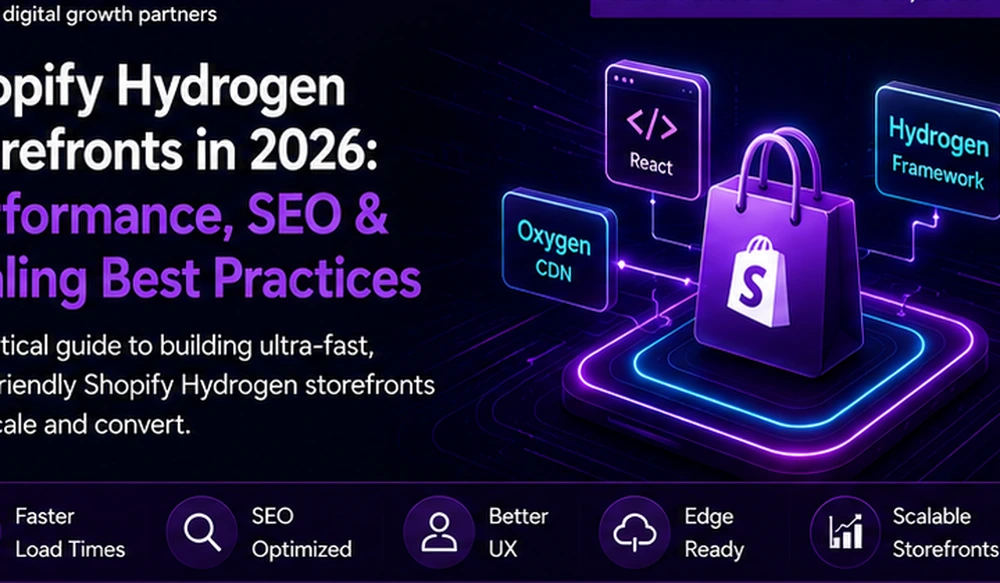
Shopify Hydrogen has matured into a serious option for brands that want a custom storefront on top of Shopify’s commerce backend. Hydrogen gives teams a React-based way to build storefronts, while Oxygen gives them a Shopify-managed hosting environment for deployment. That combination is attractive because it promises frontend control without giving up Shopify’s operational strengths.
But headless commerce is still easy to misunderstand. Some brands hear “Hydrogen” and assume it automatically means faster, more flexible, and more premium. That is not always true. A poorly built Hydrogen storefront can be slower, more expensive, and harder to maintain than a disciplined Shopify theme. A well-built Hydrogen storefront can be excellent, but only when the team understands the tradeoffs.
Haxtiv works across <a href="https://haxtiv.com/services/shopify-development">Shopify development</a>, <a href="https://haxtiv.com/services/shopify-plus-development">Shopify Plus development</a>, <a href="https://haxtiv.com/services/shopify-speed-optimization">Shopify speed optimization</a>, and <a href="https://haxtiv.com/services/shopify-seo">Shopify SEO</a>. From that perspective, Hydrogen is not a design trend. It is an architecture decision.
This guide explains when Hydrogen makes sense, when it does not, and how merchants should plan a production-ready Shopify headless project.
What Hydrogen and Oxygen actually do
Hydrogen is Shopify’s React framework for building custom storefronts. It is designed around Shopify commerce data, the Storefront API, server rendering, routing, cart behavior, and performance-focused storefront development. Oxygen is Shopify’s hosting platform for Hydrogen storefronts. Together, they allow merchants to build a custom frontend while continuing to use Shopify for products, checkout, orders, payments, inventory, and admin workflows.
The important distinction is ownership. A normal Shopify theme gives merchants more out-of-the-box structure. Hydrogen gives developers more control. With more control comes more responsibility. The team must plan routing, caching, content, analytics, accessibility, SEO, performance, data fetching, deployments, and ongoing maintenance.
When Hydrogen makes sense
Hydrogen can be a good fit when the storefront experience needs to go beyond what a normal theme can comfortably deliver.
Good candidates include:
- Shopify Plus brands with complex user journeys
- editorial-commerce brands that need custom content flows
- brands with advanced product discovery requirements
- stores with custom bundles, configurators, or guided selling
- international storefronts with region-specific experiences
- businesses that need a shared React design system
- performance-sensitive brands with strong engineering support
- teams that want tight control over rendering, routes, and frontend components
The key phrase is “strong engineering support.” Headless storefronts are not set-and-forget websites. They need version control, testing, monitoring, performance governance, content operations, and API management.
When Hydrogen is the wrong answer
Hydrogen may be the wrong move when the store is simple, the team is small, the budget is limited, or the real problem is messy operations rather than frontend limitations.
A brand should be cautious if:
- the current Shopify theme is poorly optimized but fixable
- most requirements can be solved with theme sections and clean apps
- the team has no long-term development partner
- the business needs rapid content edits without developer involvement
- SEO and analytics requirements are not documented
- the app stack is already unstable
- the checkout and product data model are not understood
A Hydrogen build should not be used to avoid basic cleanup. If product data, collections, policies, images, tracking, and apps are messy, a custom frontend will expose those problems in a new place.
The performance promise and the performance risk
Hydrogen can produce excellent performance when built well. Developers can control what loads on each route, reduce unnecessary theme overhead, optimize images, stream content, and build focused product experiences. Oxygen can simplify hosting and deployment for Hydrogen storefronts.
But performance is not automatic. A Hydrogen storefront can still become slow if the team overuses client-side JavaScript, loads too many third-party scripts, fetches data inefficiently, ignores caching, or builds heavy product pages.
A Hydrogen project should set performance budgets before development starts:
- target Largest Contentful Paint
- target Interaction to Next Paint
- JavaScript budget per route
- image-weight rules
- third-party script policy
- API response targets
- cache behavior by route
- monitoring dashboard
Haxtiv’s <a href="https://haxtiv.com/website-speed-optimization">website speed optimization</a> work often starts with this kind of budget. The goal is not a perfect lab score. The goal is a storefront that feels fast under real customer conditions.
SEO planning for Hydrogen storefronts
SEO is one of the biggest reasons Hydrogen projects succeed or fail. A custom storefront gives the team control over metadata, structured data, internal links, product pages, collections, content routes, and rendering. That control is valuable only if the team uses it carefully.
A production Hydrogen SEO plan should include:
- crawlable product and collection pages
- stable URL structures
- clean canonical rules
- product schema
- breadcrumb schema
- collection copy strategy
- metadata templates
- XML sitemap handling
- redirects from old URLs
- pagination and filtering rules
- internal links from content to products
- analytics and Search Console monitoring
This is why headless Shopify work often overlaps with <a href="https://haxtiv.com/technical-seo-services">technical SEO services</a>. A beautiful custom storefront can lose organic traffic if redirects, canonicals, metadata, or structured data are mishandled.
Content workflow is the hidden decision
Many Hydrogen discussions focus on frontend frameworks and hosting. The more important question is often content workflow. Who edits landing pages? Who publishes buying guides? Who updates comparison pages? Who changes campaign modules? Who controls product education content?
If every content change requires a developer, the marketing team may slow down. A Hydrogen project needs a content model. Some teams use Shopify content objects and metaobjects. Others integrate a headless CMS. Some keep WordPress for editorial content while Shopify handles commerce. The right choice depends on publishing velocity and team structure.
For brands planning content-led ecommerce, Haxtiv may combine <a href="https://haxtiv.com/services/custom-shopify-development">custom Shopify development</a> with editorial templates and SEO systems instead of forcing everything into a rigid storefront model.
App integrations need special planning
Traditional Shopify themes can use many app blocks and storefront integrations directly. Hydrogen changes that. Some apps may work cleanly through APIs. Others may rely on theme scripts or Liquid-based rendering that does not translate easily to a custom React storefront.
Before starting a Hydrogen build, audit apps for:
- reviews
- subscriptions
- loyalty
- personalization
- search
- product options
- bundles
- analytics
- consent management
- customer accounts
- recommendations
- support chat
Each app should be classified as API-ready, script-based, replaceable, or custom-development required. Haxtiv’s <a href="https://haxtiv.com/services/shopify-app-integrations">Shopify app integrations</a> work often helps merchants understand whether an app stack will support headless architecture before budget is committed.
Checkout strategy should stay boring
Most merchants should keep Shopify checkout. Shopify’s checkout infrastructure is one of the strongest reasons to use Shopify in the first place. Hydrogen can customize the storefront experience while still sending customers through Shopify’s checkout flow.
The storefront should make checkout easy to reach, but it should not create unnecessary checkout complexity. Cart behavior, discount logic, shipping messaging, tax expectations, payment options, and account flows need careful QA.
For Shopify Plus, there may be additional checkout customization options, but the principle remains the same: do not break the most valuable part of Shopify just to make the architecture feel custom.
A practical Hydrogen readiness checklist
Before approving a Hydrogen project, answer these questions:
- What customer experience requires a custom storefront?
- Which routes will Hydrogen own?
- Which content system will editors use?
- Which Shopify apps are required?
- Which apps are compatible with headless?
- What Storefront API data is needed?
- What are the performance budgets?
- What is the SEO migration plan?
- How will analytics be implemented?
- Who maintains the storefront after launch?
- What is the rollback plan?
If these answers are unclear, start with discovery instead of development.
Migration risks
Hydrogen projects often involve migration. A store may move from a theme to Hydrogen, from WooCommerce to Shopify, or from another headless platform to Shopify. Migration introduces risk.
Important migration tasks include:
- URL mapping
- redirect implementation
- product data validation
- collection structure review
- metadata migration
- schema testing
- app replacement planning
- checkout QA
- Search Console monitoring
- analytics continuity
- Core Web Vitals benchmarking
Haxtiv’s <a href="https://haxtiv.com/services/shopify-migration">Shopify migration</a> work treats migration as a technical SEO and operations project, not only a data transfer.
CRO opportunities in Hydrogen storefronts
Hydrogen can support stronger conversion experiments when the data model and frontend are planned well. Teams can build clearer product discovery, faster filtering, guided selling, better bundles, personalized content modules, and high-performance landing pages.
But conversion gains depend on discipline. A custom storefront should not become a playground for heavy animations and unnecessary interaction. It should make buying easier.
For serious ecommerce teams, <a href="https://haxtiv.com/conversion-rate-optimization">conversion rate optimization</a> should be included in the roadmap after launch. Use real behavior data to improve product pages, collection pages, cart paths, and content-assisted journeys.
Budget expectations
A small Shopify improvement can start from $500 when the task is narrow. Most practical Shopify optimization projects land between $1,000 and $5,000. Hydrogen projects are usually more involved because they require frontend engineering, API planning, content modeling, performance strategy, SEO planning, and maintenance support. Larger builds should be priced on demand.
The important point is not to compare Hydrogen against a cheap theme installation. They solve different problems. Hydrogen is an engineering project. It should have a clear business reason.
A 30-day Hydrogen discovery plan
A careful Hydrogen project should begin with discovery, not design. In week one, document the current storefront routes, theme sections, Shopify apps, analytics events, product data model, collection structure, checkout assumptions, content workflows, and technical SEO risks. This prevents the team from rebuilding visual pages while missing the business rules that make the store work.
In week two, define the future route map. Decide which pages Hydrogen will own, which pages stay in Shopify, how product and collection routes will behave, how redirects will work, which filters are crawlable, and how marketing pages will be edited. This is also the right moment to document international requirements, B2B logic, subscriptions, bundles, gift cards, discounts, and customer-account needs.
In week three, build the data and integration plan. Map Storefront API queries, Customer Account API needs, analytics events, review data, search providers, personalization tools, consent management, and app dependencies. For every app, decide whether it works through API, script, iframe, custom endpoint, or replacement. This prevents last-minute surprises during build.
In week four, set performance, SEO, and QA rules. Define Core Web Vitals targets, JavaScript budgets, image rules, schema templates, redirects, metadata patterns, release environments, staging checks, and monitoring dashboards. A Hydrogen storefront is only as strong as its operating model.
Practical examples of good Hydrogen use cases
Hydrogen can be useful for a premium product brand that needs editorial storytelling, custom product education, and fast product pages without giving up Shopify checkout. It can work for a B2B Shopify Plus store where buyer-specific content, account journeys, and product discovery need more frontend control. It can also work for a global brand that wants region-specific landing pages, reusable React components, and a shared design system across campaigns.
It is less useful for a simple store with a small catalog, a standard buying journey, and a team that wants to edit every page without developer support. In that situation, a lighter Shopify theme, app cleanup, and speed optimization may produce better ROI.
Operating rules after launch
After launch, the team should review performance monthly, monitor Search Console weekly during the first migration period, track checkout conversion, and audit app changes before they reach production. Developers should document route ownership, API contracts, schema rules, and content-editing instructions. Marketing should know which parts of the storefront they can edit safely and which require development review.
A Hydrogen build should improve the business operating system. If it only creates a prettier frontend with more technical dependency, the project has missed the point.
Red flags before approving Hydrogen
Pause the project if no one can explain the current analytics setup, if the team has no redirect map, if product data is inconsistent, if the app stack has not been audited, or if the business expects a no-maintenance website after launch. Hydrogen does not remove maintenance. It changes the type of maintenance.
Also pause if the proposed scope ignores content editors. A beautiful React storefront that blocks weekly campaign work can become a business problem. The editing model should be tested with the people who will use it, not only with developers.
What a good proposal should include
A serious Hydrogen proposal should include discovery, information architecture, frontend build, data integration, SEO migration, app audit, performance budget, QA plan, analytics implementation, launch support, and a maintenance period. It should name what is included and what is not included. That clarity protects both the merchant and the development team.
A final buyer note
The best buyer question is not “Can Hydrogen do this?” It usually can. The better question is “Will this make the store easier to operate, easier to grow, and easier to measure?” If the answer is unclear, start with a smaller discovery sprint. A few days of senior planning can prevent months of unnecessary build work.
Maintenance model after launch
Plan who owns dependency updates, API version changes, content model changes, performance regressions, and app replacement decisions. If those owners are not named, the storefront will slowly drift. Hydrogen rewards teams that treat the storefront as a product, not a one-time design deliverable.
A simple governance calendar helps: monthly performance checks, quarterly app audits, scheduled API-version review, and a content-workflow review after every major campaign.
That discipline is what keeps a headless store from becoming fragile.
Treat the storefront as ongoing infrastructure, not a static launch artifact.
Editorial conclusion
Shopify Hydrogen and Oxygen can be excellent tools for the right merchant. They offer frontend control, performance opportunity, and a cleaner path to custom Shopify experiences. But they also require planning, testing, and maintenance.
The best Hydrogen projects start with the business case, not the framework. They define why the storefront needs to be custom, how content will be managed, how apps will integrate, how SEO will be preserved, and how performance will be measured.
For many stores, an optimized Shopify theme is still the right answer. For brands with complex discovery, content-commerce needs, Shopify Plus scale, or a strong React engineering plan, Hydrogen can be the right next step.
The decision should be honest. Choose Hydrogen when it solves a real business problem. Avoid it when the store only needs cleanup, speed work, or better Shopify implementation.
Short answer for busy teams
The useful answer is not "pick the popular option" or "follow the tool your agency prefers." For website strategy, the right decision is the one that supports whether the current website system can support the next stage of growth. That means looking at the business model, the content model, the people who will operate the site, the conversion path, and the technical constraints that will still exist six months after launch.
For marketing and growth teams, the practical test is simple: will this choice improve qualified conversion rate, organic visibility, Core Web Vitals, and editor throughput, or will it only make the launch feel cleaner? Google-friendly content and AI-search-friendly content both reward the same thing here: clear answers backed by real operating judgment. A page should define the problem, explain the trade-offs, show the implementation path, and make the next decision easier for a human reader.
If you remember nothing else from this guide, remember this: do not optimize for a screenshot, a launch presentation, or a single score. Optimize for the way the website will be used every week by customers, editors, search engines, and the team responsible for keeping it accurate.
The decision framework we use in client work
When Haxtiv evaluates website strategy, we do not start with a preferred platform. We start with five questions. Each question exposes a different kind of risk, and together they usually make the right answer obvious.
1. What job must the website do for the business?
Some websites primarily create demand through education, search visibility, expert content, and trust. Others primarily convert demand that already exists through product discovery, pricing, availability, checkout, or booking. The wrong build happens when a team confuses those two jobs.
If the site has to educate buyers before they convert, the content model needs to be strong. If the site has to process product demand, the commerce or booking layer has to be stronger. If both jobs matter, the architecture needs to let each system do what it is best at instead of forcing one platform to pretend it is everything.
2. Who will operate the site after launch?
A website that only developers can improve will stall. A website that lets every editor change everything will drift. The best system gives the internal team enough control to publish quickly while protecting the design system, SEO structure, performance budget, and conversion path.
For website strategy, this is where many projects become expensive later. The launch looks fine, but the operating model is wrong. Editors avoid the CMS, developers become a bottleneck, and the marketing team creates workarounds. Within a year, the site no longer resembles the system that was approved.
3. What content needs to exist for search intent?
Search intent is not just a keyword. It is the shape of the answer a person expects. A comparison query needs trade-offs. A service query needs scope, proof, process, pricing signals, and next steps. A troubleshooting query needs symptoms, causes, order of operations, and verification.
For AI search and answer engines, the content also needs extractable structure. A strong page includes short answers, definitions, decision rules, lists, examples, FAQs, and clear internal links. That does not mean writing robotic blocks for machines. It means writing in a way that a human can scan and a machine can understand without guessing.
4. What has to be measured?
For this topic, the useful measurement set is qualified conversion rate, organic visibility, Core Web Vitals, and editor throughput. Those metrics matter because they connect the technical decision to business outcomes. A site can look better and still perform worse. A faster page can still convert poorly. A migration can preserve traffic but break lead quality. Measurement prevents the team from declaring victory too early.
We prefer before-and-after snapshots by template, not sitewide averages. Sitewide averages hide the problem. A homepage, service page, product page, blog post, location page, and checkout flow all have different jobs. Each deserves its own baseline and its own target.
5. What happens when the site changes?
The best architecture is not the one that survives launch. It is the one that survives the next campaign, the next product line, the next service page, the next redesign request, and the next algorithmic shift. This is why we care so much about content models, reusable components, schema, internal links, and performance budgets.
A website should become easier to improve over time. If every improvement requires fragile manual work, the site is not a system; it is a collection of pages.
What a useful implementation plan looks like
A good implementation plan for website strategy has four layers: discovery, architecture, production, and stabilization. Skipping any layer usually creates rework.
Discovery
Discovery should produce decisions, not a mood board. The team should leave discovery knowing the audience, the priority journeys, the content types, the URL structure, the technical constraints, the measurement plan, and the first version of the internal-link graph.
For WordPress, Shopify, and modern front-end stacks, discovery should include a crawl or platform audit when an existing site is involved. You want to know which pages currently earn impressions, which URLs have links, which templates are slow, which conversion paths work, and which parts of the CMS the team avoids.
Architecture
Architecture turns the strategy into a system. That includes page types, fields, components, navigation, taxonomy, schema, canonical logic, media policy, and editorial permissions. This is where many visually strong sites become weak: they design pages before they design the system those pages belong to.
A strong architecture also includes deletion rules. Not every old page deserves to survive. Some pages should be consolidated, redirected, rewritten, or left out of the new sitemap. The decision should be based on search demand, backlink value, conversion value, content quality, and overlap with stronger pages.
Production
Production should protect the decisions made earlier. Developers should not discover the content model halfway through the build. Designers should not invent one-off modules that the CMS cannot support. SEO should not arrive in the last week asking for headings, schema, links, and redirects.
For website strategy, production quality is visible in details: clean headings, descriptive anchor text, predictable templates, crawlable links, accessible components, image dimensions, structured data, canonical URLs, and copy that answers the query without pretending every visitor is ready to buy.
Stabilization
The first month after launch matters. Search engines recrawl. Users behave differently. Editors find rough edges. Performance data becomes real. Stabilization is where the team fixes what only live usage can reveal.
We watch index coverage, ranking movement, Core Web Vitals, conversion paths, form quality, 404 logs, internal-search terms, and editor feedback. The goal is not to panic over every movement. The goal is to notice the few issues that matter before they become expensive.
Common mistakes to avoid
The most common mistake is treating the website as a launch project instead of an operating system. It feels efficient at the time because it simplifies the decision. In practice, it moves the complexity into launch week or, worse, into the months after launch when the site is already public.
Other mistakes show up often enough that they are worth naming:
- Choosing a platform before mapping the content model.
- Treating Core Web Vitals as a final QA task instead of a build constraint.
- Letting every service, product, or location page use the same copy pattern.
- Rewriting URLs without a redirect and internal-link plan.
- Publishing comparison content that refuses to make a recommendation.
- Adding FAQ schema to weak FAQs instead of improving the actual answers.
- Measuring only traffic instead of qualified traffic, leads, revenue, and task completion.
- Letting the footer carry the internal-link strategy instead of building contextual links into the content.
The fix is not more complexity. The fix is better sequencing. Decide the job of the site, then the content model, then the platform and templates, then the migration plan, then the measurement plan. That order saves more money than almost any optimization tactic.
How this should be written for Google and AI search
Good SEO in 2026 is less about making a page longer and more about making the page complete. Length helps only when it gives the reader more useful decision support. A 4,000-word article that repeats itself is worse than a 1,200-word article that solves the problem. But for complex commercial and technical topics, thin content usually fails because the real answer needs nuance.
For website strategy, a strong page should include:
- A direct answer near the top.
- A clear definition of the problem.
- The situations where each option is best.
- The situations where each option is risky.
- Specific implementation steps.
- A measurement plan.
- Mistakes to avoid.
- FAQs that answer real objections.
- Links to deeper service or resource pages.
This structure helps traditional search because it covers intent thoroughly. It helps AI systems because the page contains concise, quotable answers and clear relationships between entities, actions, risks, and outcomes. Most importantly, it helps humans because it respects their time.
Measurement plan after the decision
Do not wait until the project is finished to define success. For website strategy, we would track qualified conversion rate, organic visibility, Core Web Vitals, and editor throughput. We would also separate leading indicators from lagging indicators.
Leading indicators appear quickly: crawl health, indexability, LCP, INP, CLS, form errors, editor publishing speed, and content completion. Lagging indicators take longer: rankings, organic revenue, lead quality, assisted conversions, retention, and total cost of ownership.
A simple dashboard is enough. Track the metrics by template and by journey. If the homepage improved but service pages declined, the average does not matter. If traffic increased but qualified leads fell, the project did not succeed. If performance improved in Lighthouse but real-user CrUX data stayed poor, the work is not finished.
Quality-control checklist before you publish or launch
Before publishing a page, launching a redesign, or committing to a platform decision, run a final quality-control pass. This is where good teams catch the issues that do not show up in a design review.
First, read the page as a buyer would. Does it answer the main question quickly? Does it explain who the advice is for? Does it say when the recommendation is not the right fit? Helpful content is not afraid to disqualify. If every option sounds equally good, the page is not helping.
Second, read the page as an editor would. Are the headings predictable? Are examples concrete? Are internal links placed where the reader naturally needs the next step? Are important claims supported by process, data, examples, or experience? This is the difference between expert content and decorative content.
Third, read the page as a crawler would. Is there one clear H1? Do H2s describe the actual sections? Are links crawlable? Is schema aligned with visible content? Is the canonical URL correct? Are images sized, described, and useful? Are FAQs genuinely visible on the page rather than added only for structured data?
Finally, read the page as an operator would. Can the team maintain this system next quarter? Can they add another service, product, location, or article without breaking design quality? Can they measure whether the work performed? If the answer is no, the issue is not content length; it is architecture.
Practical next step
If you are making this decision now, write down the constraint first. Is the constraint search visibility, speed, editor control, checkout conversion, compliance, migration risk, design quality, or maintenance cost? Once the constraint is named, the right path is easier to see.
For a second opinion, start with our website strategy and development work. If the decision is connected to a broader website project, also read our process. We can usually tell within one call whether the project needs a focused fix, a redesign, a rebuild, or a smaller scope than expected.
FAQs about website strategy
What is the short answer on website strategy?
The short answer is to make the decision around whether the current website system can support the next stage of growth. The right choice is the one that improves qualified conversion rate, organic visibility, Core Web Vitals, and editor throughput, not the one that sounds best in a tool comparison.
Who should care most about website strategy?
marketing and growth teams should care because this decision affects search visibility, conversion quality, operating cost, and how easily the website can improve after launch.
What is the biggest mistake with website strategy?
The biggest mistake is treating the website as a launch project instead of an operating system. Strong teams validate the decision against user intent, platform constraints, measurement, and the people who will maintain the site.
How should teams measure whether website strategy worked?
Measure qualified conversion rate, organic visibility, Core Web Vitals, and editor throughput. Do not rely on launch-day opinions or lab-only scores; use real user behavior, search data, and conversion outcomes.
Final recommendation
Do the smallest serious version of the work. Not the cheapest version. Not the biggest version. The smallest serious version is the scope that solves the real constraint, protects the site from avoidable search and performance risk, and gives the team a system they can keep improving.
That is the standard we use for Shopify Development, Shopify Hydrogen, Shopify Oxygen, Shopify Plus, Headless Shopify, Shopify SEO, Core Web Vitals, CRO, Storefront API, Shopify development, Ecommerce architecture. If the work does not make the site clearer for users, easier for editors, healthier for search engines, and more measurable for the business, it is probably not the right work yet.
Shopify Theme vs Hydrogen Storefront
| Decision area | Optimized Shopify theme | Hydrogen storefront |
|---|---|---|
| Best fit | Standard stores, fast launches, smaller teams | Custom storefronts, Shopify Plus scale, complex journeys |
| Maintenance | Lower | Higher engineering responsibility |
| Performance control | Good with discipline | Very strong when built well |
| SEO flexibility | Strong enough for many stores | Highly flexible but must be implemented carefully |
| App compatibility | Usually easier | Requires audit and API planning |
| Content workflow | Theme and Shopify admin based | Needs content model or CMS planning |
Frequently Asked Questions
What is Shopify Hydrogen?
What is Shopify Oxygen?
Does every Shopify store need Hydrogen?
Is Hydrogen better for SEO?
Do Shopify apps work with Hydrogen?
Is Hydrogen faster than a Shopify theme?
Should Shopify Plus brands consider Hydrogen?
How much does a Hydrogen project cost?
James Holloway
More about the studio →